01 Copy the template · 30 sec
One click to fork.
- Open portfolio-starter
- Click the green
Use this templatebutton - Name it
portfolio, set Public - Click
Create repository
Workshop / 20 minutes
Build a live, public portfolio website in 20 minutes.
No coding. No installs. 100% free.
/ By the end
A real, public portfolio website, live at a URL you can send anyone.
jwwwwwang.github.io/portfolio-starter/demo.html
↳ Open the demo · open it on your phone too
/ The 20-minute flow
Every step is spelled out in the walk-through doc — keep it open on your laptop.
01 Copy the template · 30 sec
Use this template buttonportfolio, set PublicCreate repository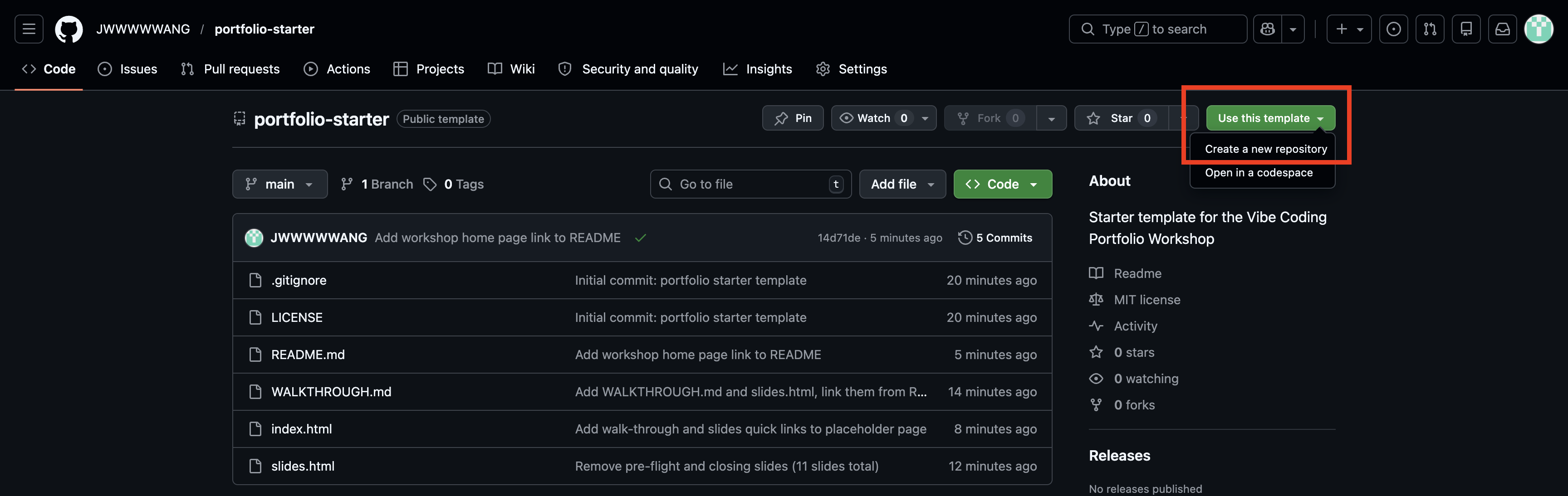
02 Turn on pages · 1 min
Settings → Pages in the left sidebarmain / (root)Save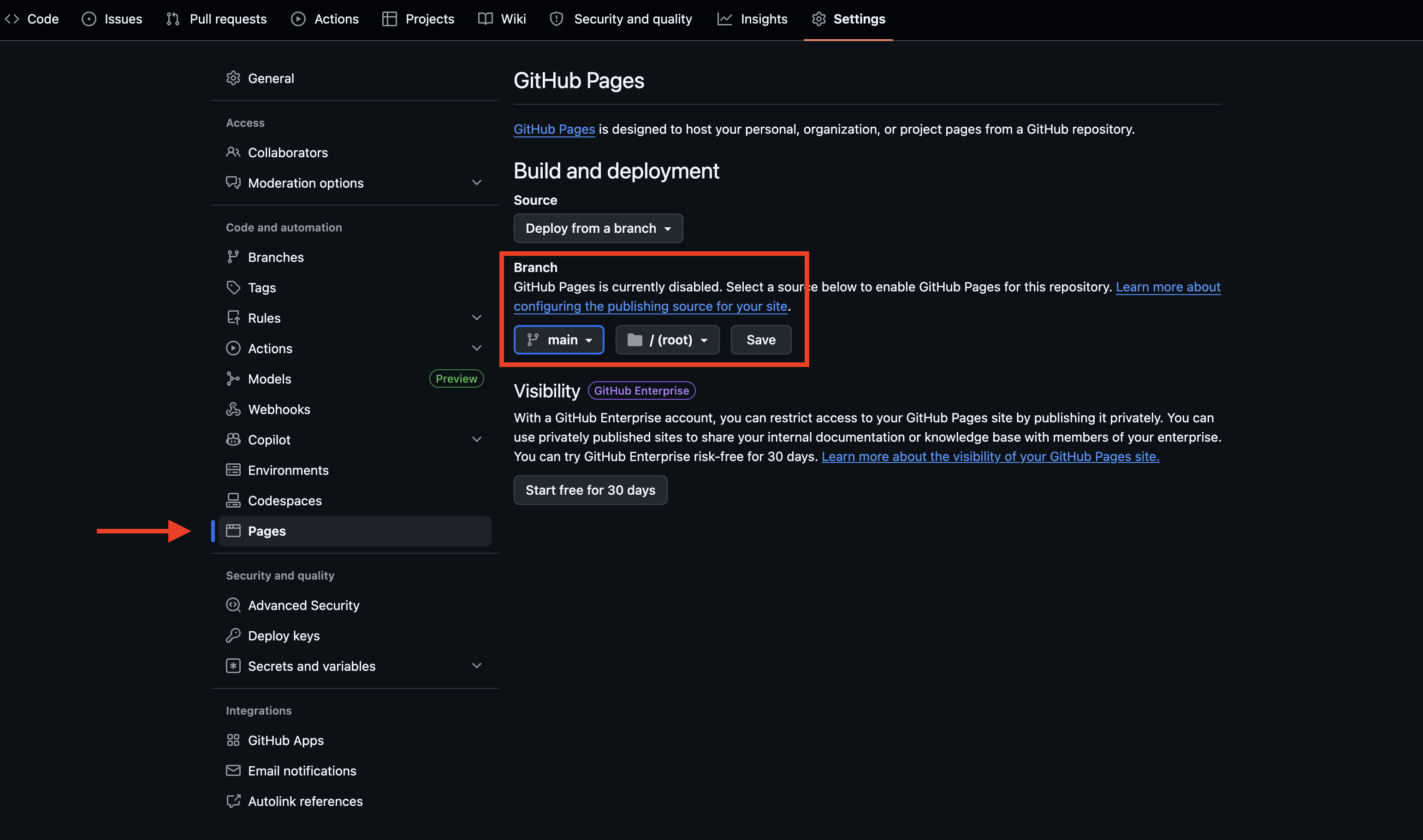
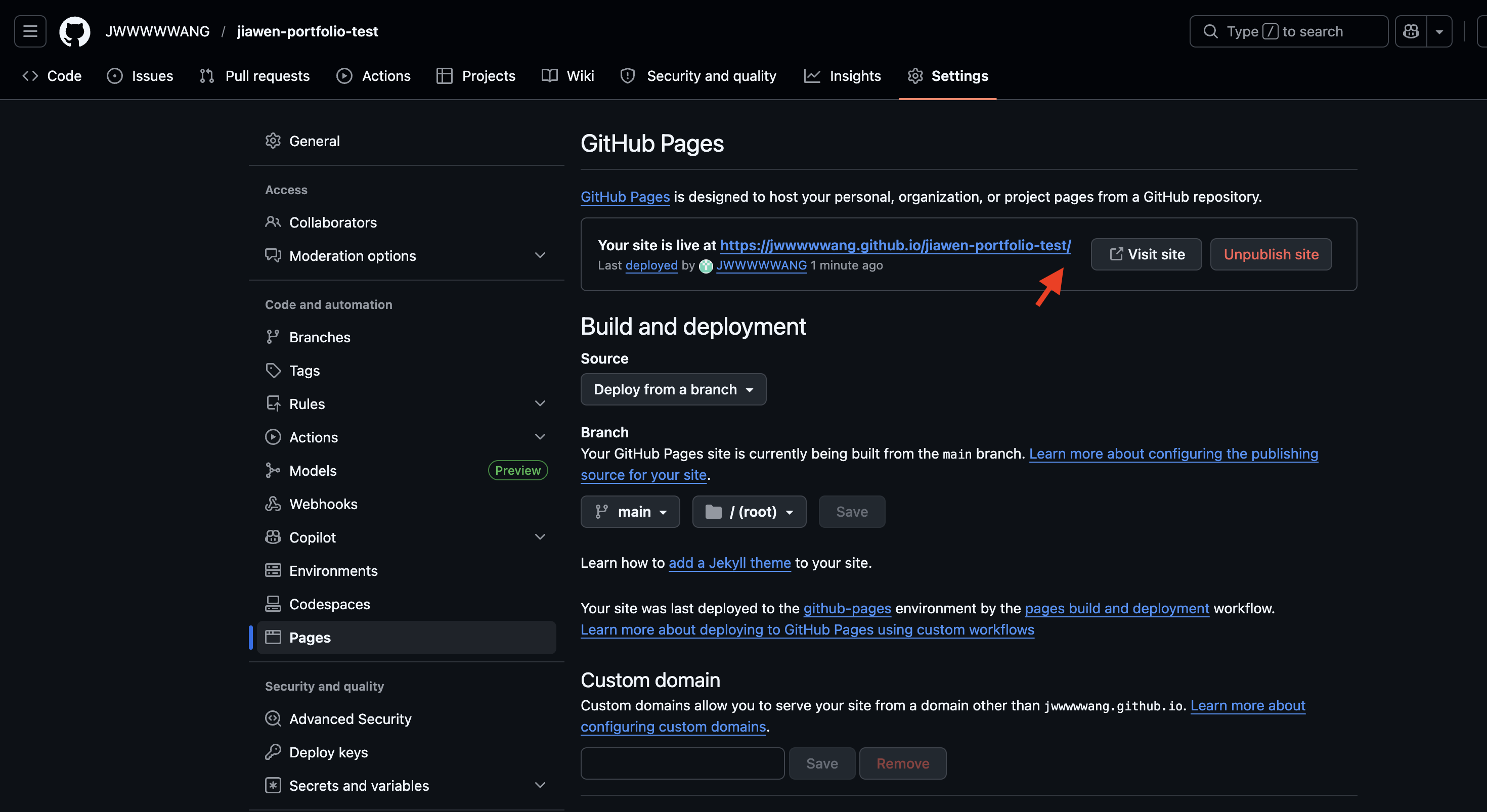
02 Write down your URL
Refresh the Pages page after a minute. A green banner shows your live URL.
https://<your-username>.github.io/portfolio/
Write it down. Opening it now shows the placeholder — that's fine. We fill it in Step 5.
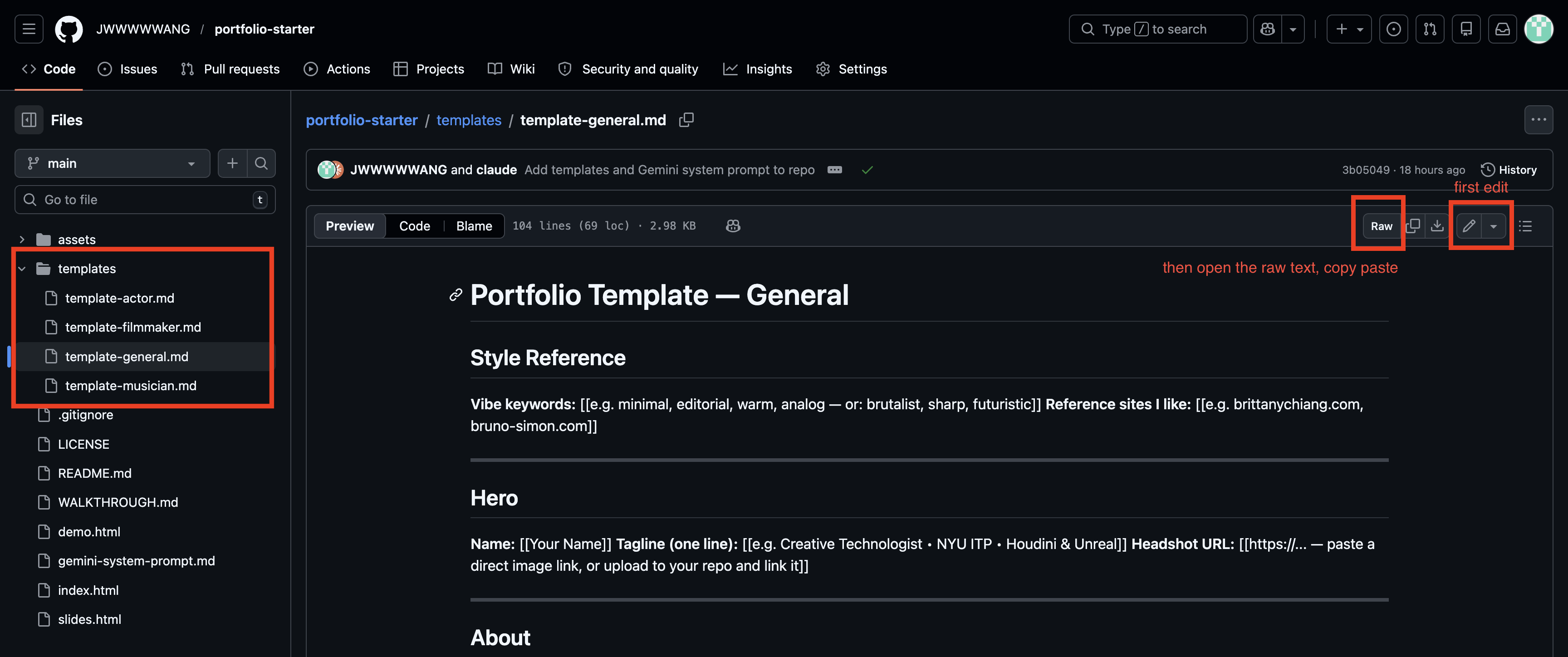
03 Fill the template · 5 min
template-general.md — universaltemplate-actor.md — actorstemplate-filmmaker.md — filmmakerstemplate-musician.md — musiciansOpen the file, click Raw (top-right), Cmd+A / Cmd+C. Replace every [[placeholder]] with your content.
Short on time? Fill just Hero + About + one project.
Images → assets/. Videos → YouTube / Vimeo. Audio → SoundCloud / Spotify.
04 Feed gemini · 3 min · the core moment
No reference image? Describe it in words: "minimal Swiss / brutalist / Y2K / editorial vintage."
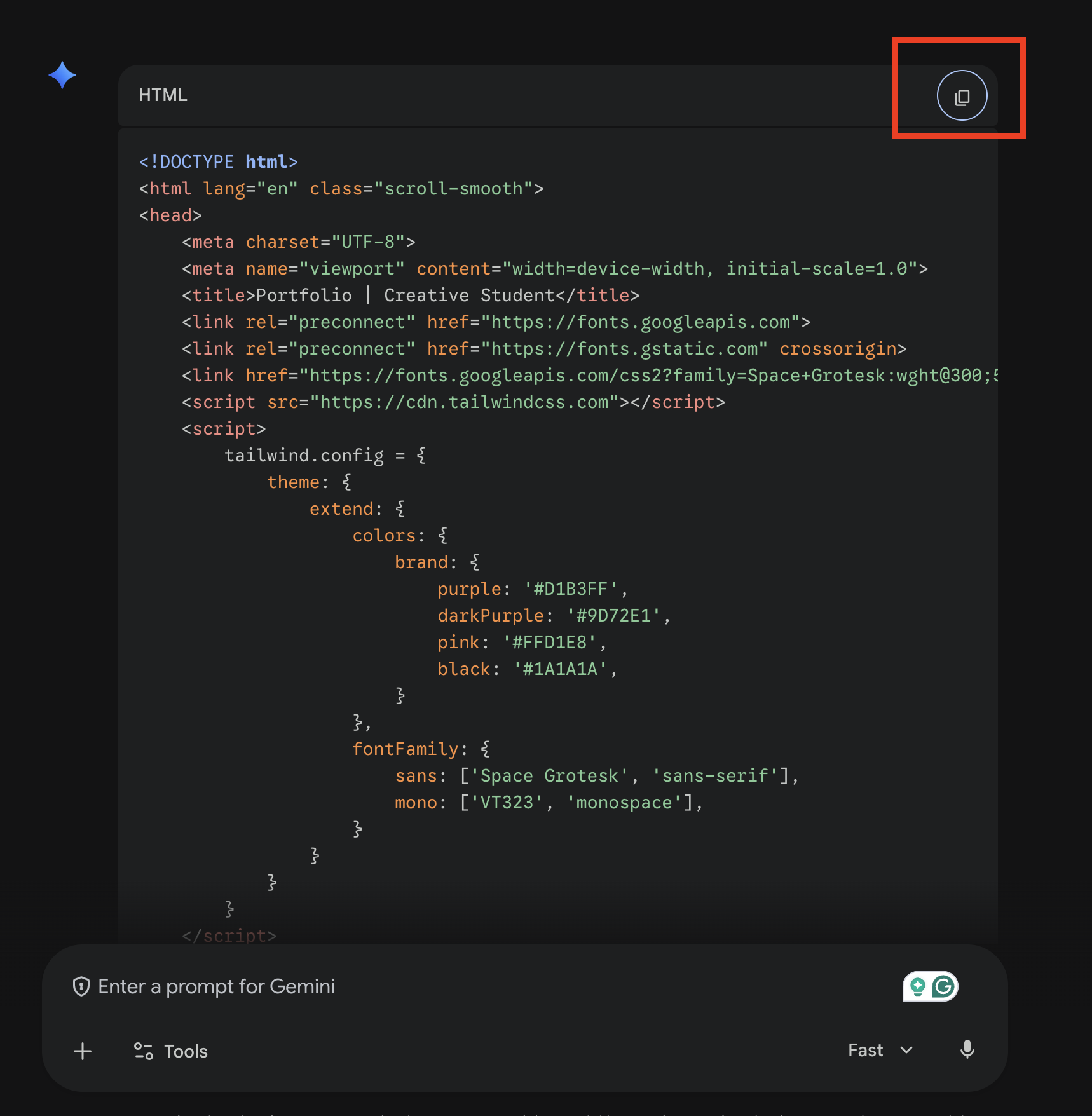
04 Copy the HTML
Gemini replies with one big HTML code block.
Hover over it. A Copy button appears in the top-right corner of the code block. Click it.
The copy button gives you pure HTML — no ` ``` ` wrappers to clean up.
04 Preview first · optional, but fast
Open jsfiddle.net → paste Gemini's HTML into the HTML panel → hit Run.
Instant render, no GitHub wait. Happy? → Step 5. Not happy? → back to Gemini.
Same trick in Step 6 — iterate in JSFiddle, only commit when you love it.
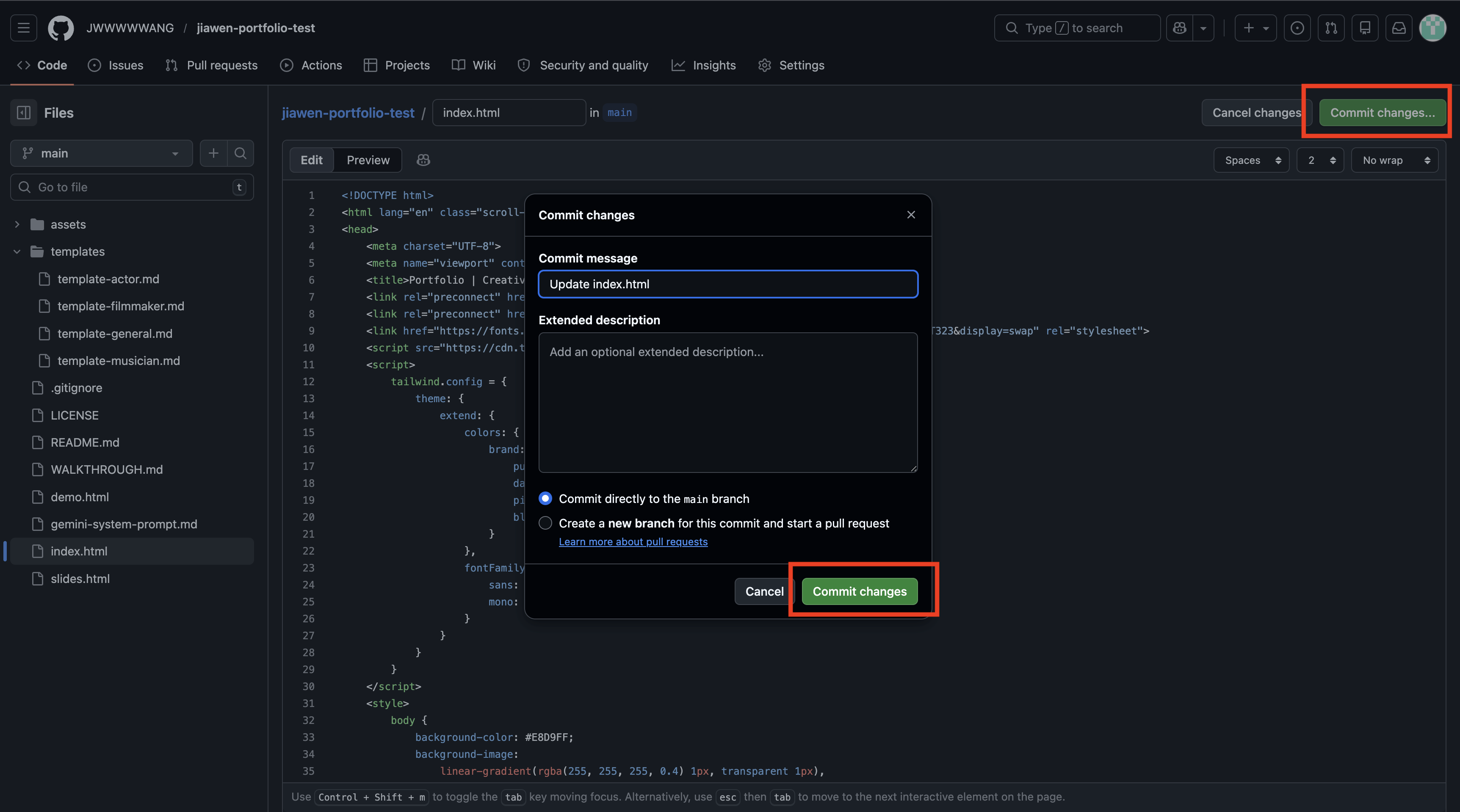
05 Paste & publish · 3 min
index.htmlCmd+A → delete → Cmd+V paste the Gemini HTMLCommit changes… → confirmYour site is live.
06 Iterate · 3 min · the fun part
Back in Gemini, try:
"Make the hero darker with a subtle gradient."
"Use Playfair Display for the headings."
"Add a fade-in animation when scrolling."
"Make it more brutalist / Y2K / editorial."
"Make it fully responsive on mobile."
"Add a dark mode toggle."
Copy → preview in JSFiddle → happy? → paste into index.html → commit → refresh.
Repeat until you love it.
/ If you get stuck
No GitHub account? GitHub stuck? 30-second backup:
index.html on your desktopTrade-off: random URL, manual updates. But it always works.
Other issues? Troubleshooting section of the walk-through doc
/ After today
.me or .tech with GitHub Student PackSettings → Pages → Custom domain/ Share your URL
Open each other's sites on your phones.
Same 20 minutes. Totally different results. That's the point.